


Waterbury Public Library Policies

Mission:

To inspire our community to learn, connect and thrive.

Eating and Drinking in the Library

Although not sold in the Library, food and beverages may be consumed in the Café and/or as part of a Library program or meeting in the SAL Room. Please limit food and drinks to these areas.

Appropriate Library Behavior

Residents and visitors of all ages are welcome at the Waterbury Public Library.

All individuals are expected to treat the facilities, materials, and equipment with care and behave in a respectful manner toward other library users and staff.

If, in the opinion of the staff, any individual behaves in a manner inappropriate to a library setting and/or disturbing to other library users (including, but not limited to engaging in loud or long phone conversations, shouting, cursing, fighting, or threatening others, or throwing things) the individual will be asked to stop the behavior or leave the library. If the patron refuses, the police may be called.

Children and Young Adults

Waterbury Public Library Policy: Children and Young Adults

Effective July 1, 2025

Welcome: Waterbury Public Library welcomes children of all ages. The Library staff is committed to making the Library an inviting place for children to develop a life-long love for books, learning and libraries.

The Library offers weekly Baby/Toddler and Preschool Story Times, picture books and books for growing readers, puppets and puzzles, fiction and nonfiction, magazines, audio books and movies, a learning station with educational games, computers and the Internet, places to study and socialize with friends, special programs that provide opportunities to learn and discover, and assistance from the staff in accessing these resources.

Children and young adults are expected to behave appropriately. If, in the opinion of the Library staff, any child or young adult is behaving in a manner inappropriate to a library setting (see Appropriate Library Behavior Policy), that individual will be told to leave the Library, regardless of age.

Parental Responsibility:  The Library does not assume responsibility or liability for the actions, care, supervision, or safety of minors. Parents/guardians and designated caregivers over 16 are responsible for their children’s safety and behavior while in the Library or on the Library grounds, whether or not they are present on site.

It is the responsibility of parents/guardians and designated caregivers over 16, NOT the Library or Library employees, to provide appropriate supervision of minors.

Parents/guardians are responsible for paying for any damage to library or municipal facilities, materials, or equipment caused by their minor children.

Parents/guardians and designated caregivers are expected to be aware of the Library’s hours. All Library patrons must leave the building at closing time. If a parent/guardian or designated caregiver feels it is unsafe for their child to leave the building at closing or other time without adult supervision, he/she should make arrangements to have the child picked up before the library closes.

Supervision in the Library/Unattended Child Policy: 

For the safety and comfort of all children, any child in fourth grade or below must be supervised at all times while on Library property by a parent/guardian or designated caregiver over 16, unless attending a Library program.

A child is considered unattended if he or she is out of sight of his or her parent/guardian or designated caregiver over 16.

Those using a computer are not able to provide adequate supervision.

In the event that an unattended child has not been picked up by closing time, and if the child has informed the Library staff of their situation,the staff will attempt to reach a parent guardian or designated caregiver, if possible. If the staff is unable to reach a parent/guardian or caregiver, it is the recommendation of Family Services Division of the Vermont Department for Children and Families that the staff should contact the Vermont State Police and request that the unattended child be picked up at the Library by an officer and held safely at the Police Department until a parent/guardian or designated caregiver can be reached.

Library personnel will not provide after-hours childcare or transportation.

Access to Physical Library Materials:  The Library does not impose limits on access to any materials within its collections. Parents, guardians, and/or caregivers are responsible for setting boundaries and/or restrictions for their children (and only their children) regarding access to resources offered by the Library.

Access to Electronic Resources:  The Library is aware of parental and governmental concerns about child safety on the Internet. Library computers are not filtered, and the Library staff does not monitor or control the content of materials offered through the Internet. Parents, guardians, and/or caregivers are responsible for their children’s use of the Internet at all times. Parents who believe that their children cannot responsibly make use of the Library’s Internet access are requested to monitor their children’s Internet use.

Children and young adults are expected to follow the same guidelines regarding acceptable and/or unacceptable computer use as other patrons. (See Computer and Internet Use Policy)

One Early Learning Station with educational games appropriate for children ages 6 to 12 is provided near the children’s computers. The Early Learning Station is not connected to the Internet.

Programs and Special Events:  Age designations are stated in notices and program publicity to ensure that those who attend Library programs and special events are capable of the behavior required. The Library staff has the right to deny program admittance to any child outside the recommended age guidelines for particular programs or special events.

Parents/guardians or designated caregivers are required to be in the same room with any child younger than age 8 attending any Library program or special event.

Library personnel will not provide after-hours childcare or transportation.

Use of volunteers

The Waterbury Public Library supports lifelong learning, cultural enrichment, and personal development and serves its community as a multigenerational gathering place. Volunteers are a vital resource for the library to ensure the highest quality patron service for the tens of thousands of visits each year. They are recruited, supervised, and trained by the Library Director and Patron Services staff and must adhere to all policies to the same extent as paid personnel. Volunteers under 18 must provide a reference letter or telephone call from an adult.

Volunteers need:
● Enthusiasm and willingness to learn
● Commitment to a regular schedule
○ At minimum a two hour volunteer block weekly or every other week
● Good work habits
● Compliance with library rules, policies, and procedures

Examples of projects
● Materials Shelver/Organizer
● Prepare program materials
● Assist with outreach (hanging posters in the community, materials delivery)
● Assist with other daily library tasks as needed.

Library volunteers will not be used to staff the help desk.

Review/revision of policy

This policy will be officially reviewed annually at a regular meeting of the Commissioners and will be modified at that time to the extent deemed necessary.

The Freedom To View

The FREEDOM TO VIEW, along with the freedom to speak, to hear, and to read, is protected by the First Amendment to the Constitution of the United States. In a free society, there is no place for censorship of any medium of expression. Therefore these principles are affirmed:

1. To provide the broadest access to film, video, and other audiovisual materials because they are a means for the communication of ideas. Liberty of circulation is essential to insure the constitutional guarantees of freedom of expression.

2. To protect the confidentiality of all individuals and institutions using film, video, and other audiovisual materials.

3. To provide film, video, and other audiovisual materials which represent a diversity of views and expression. Selection of a work does not constitute or imply agreement with or approval of the content.

4. To provide a diversity of viewpoints without the constraint of labeling or prejudging film, video, or other audiovisual materials on the basis of the moral, religious, or political beliefs of the producer or filmmaker or on the basis of controversial content.

5. To contest vigorously, by all lawful means, every encroachment upon the public’s freedom to view.

This statement was originally drafted by the Freedom to View Committee of the American Film and Video Association (formerly the Educational Film Library Association) and was adopted by the AFVA Board of Directors in February 1979. This statement was updated and approved by the AFVA Board of Directors in 1989.

The Freedom to Read Statement

The freedom to read is essential to our democracy. It is continuously under attack. Private groups and public authorities in various parts of the country are working to remove or limit access to reading materials, to censor content in schools, to label “controversial” views, to distribute lists of “objectionable” books or authors, and to purge libraries. These actions apparently rise from a view that our national tradition of free expression is no longer valid; that censorship and suppression are needed to counter threats to safety or national security, as well as to avoid the subversion of politics and the corruption of morals. We, as individuals devoted to reading and as librarians and publishers responsible for disseminating ideas, wish to assert the public interest in the preservation of the freedom to read.

Most attempts at suppression rest on a denial of the fundamental premise of democracy: that the ordinary individual, by exercising critical judgment, will select the good and reject the bad. We trust Americans to recognize propaganda and misinformation, and to make their own decisions about what they read and believe. We do not believe they are prepared to sacrifice their heritage of a free press in order to be “protected” against what others think may be bad for them. We believe they still favor free enterprise in ideas and expression.

These efforts at suppression are related to a larger pattern of pressures being brought against education, the press, art and images, films, broadcast media, and the Internet. The problem is not only one of actual censorship. The shadow of fear cast by these pressures leads, we suspect, to an even larger voluntary curtailment of expression by those who seek to avoid controversy or unwelcome scrutiny by government officials.

Such pressure toward conformity is perhaps natural to a time of accelerated change. And yet suppression is never more dangerous than in such a time of social tension. Freedom has given the United States the elasticity to endure strain. Freedom keeps open the path of novel and creative solutions, and enables change to come by choice. Every silencing of a heresy, every enforcement of an orthodoxy, diminishes the toughness and resilience of our society and leaves it the less able to deal with controversy and difference.

Now as always in our history, reading is among our greatest freedoms. The freedom to read and write is almost the only means for making generally available ideas or manners of expression that can initially command only a small audience. The written word is the natural medium for the new idea and the untried voice from which come the original contributions to social growth. It is essential to the extended discussion that serious thought requires, and to the accumulation of knowledge and ideas into organized collections.

We believe that free communication is essential to the preservation of a free society and a creative culture. We believe that these pressures toward conformity present the danger of limiting the range and variety of inquiry and expression on which our democracy and our culture depend. We believe that every American community must jealously guard the freedom to publish and to circulate, in order to preserve its own freedom to read. We believe that publishers and librarians have a profound responsibility to give validity to that freedom to read by making it possible for the readers to choose freely from a variety of offerings.

The freedom to read is guaranteed by the Constitution. Those with faith in free people will stand firm on these constitutional guarantees of essential rights and will exercise the responsibilities that accompany these rights.

We therefore affirm these propositions:

  1. It is in the public interest for publishers and librarians to make available the widest diversity of views and expressions, including those that are unorthodox, unpopular, or considered dangerous by the majority.Creative thought is by definition new, and what is new is different. The bearer of every new thought is a rebel until that idea is refined and tested. Totalitarian systems attempt to maintain themselves in power by the ruthless suppression of any concept that challenges the established orthodoxy. The power of a democratic system to adapt to change is vastly strengthened by the freedom of its citizens to choose widely from among conflicting opinions offered freely to them. To stifle every nonconformist idea at birth would mark the end of the democratic process. Furthermore, only through the constant activity of weighing and selecting can the democratic mind attain the strength demanded by times like these. We need to know not only what we believe but why we believe it.
  2. Publishers, librarians, and booksellers do not need to endorse every idea or presentation they make available. It would conflict with the public interest for them to establish their own political, moral, or aesthetic views as a standard for determining what should be published or circulated.Publishers and librarians serve the educational process by helping to make available knowledge and ideas required for the growth of the mind and the increase of learning. They do not foster education by imposing as mentors the patterns of their own thought. The people should have the freedom to read and consider a broader range of ideas than those that may be held by any single librarian or publisher or government or church. It is wrong that what one can read should be confined to what another thinks proper.
  3. It is contrary to the public interest for publishers or librarians to bar access to writings on the basis of the personal history or political affiliations of the author.No art or literature can flourish if it is to be measured by the political views or private lives of its creators. No society of free people can flourish that draws up lists of writers to whom it will not listen, whatever they may have to say.
  4. There is no place in our society for efforts to coerce the taste of others, to confine adults to the reading matter deemed suitable for adolescents, or to inhibit the efforts of writers to achieve artistic expression.To some, much of modern expression is shocking. But is not much of life itself shocking? We cut off literature at the source if we prevent writers from dealing with the stuff of life. Parents and teachers have a responsibility to prepare the young to meet the diversity of experiences in life to which they will be exposed, as they have a responsibility to help them learn to think critically for themselves. These are affirmative responsibilities, not to be discharged simply by preventing them from reading works for which they are not yet prepared. In these matters values differ, and values cannot be legislated; nor can machinery be devised that will suit the demands of one group without limiting the freedom of others.
  5. It is not in the public interest to force a reader to accept the prejudgment of a label characterizing any expression or its author as subversive or dangerous.The ideal of labeling presupposes the existence of individuals or groups with wisdom to determine by authority what is good or bad for others. It presupposes that individuals must be directed in making up their minds about the ideas they examine. But Americans do not need others to do their thinking for them.
  6. It is the responsibility of publishers and librarians, as guardians of the people’s freedom to read, to contest encroachments upon that freedom by individuals or groups seeking to impose their own standards or tastes upon the community at large; and by the government whenever it seeks to reduce or deny public access to public information.It is inevitable in the give and take of the democratic process that the political, the moral, or the aesthetic concepts of an individual or group will occasionally collide with those of another individual or group. In a free society individuals are free to determine for themselves what they wish to read, and each group is free to determine what it will recommend to its freely associated members. But no group has the right to take the law into its own hands, and to impose its own concept of politics or morality upon other members of a democratic society. Freedom is no freedom if it is accorded only to the accepted and the inoffensive. Further, democratic societies are more safe, free, and creative when the free flow of public information is not restricted by governmental prerogative or self-censorship.
  7. It is the responsibility of publishers and librarians to give full meaning to the freedom to read by providing books that enrich the quality and diversity of thought and expression. By the exercise of this affirmative responsibility, they can demonstrate that the answer to a “bad” book is a good one, the answer to a “bad” idea is a good one.The freedom to read is of little consequence when the reader cannot obtain matter fit for that reader’s purpose. What is needed is not only the absence of restraint, but the positive provision of opportunity for the people to read the best that has been thought and said. Books are the major channel by which the intellectual inheritance is handed down, and the principal means of its testing and growth. The defense of the freedom to read requires of all publishers and librarians the utmost of their faculties, and deserves of all Americans the fullest of their support.

We state these propositions neither lightly nor as easy generalizations. We here stake out a lofty claim for the value of the written word. We do so because we believe that it is possessed of enormous variety and usefulness, worthy of cherishing and keeping free. We realize that the application of these propositions may mean the dissemination of ideas and manners of expression that are repugnant to many persons. We do not state these propositions in the comfortable belief that what people read is unimportant. We believe rather that what people read is deeply important; that ideas can be dangerous; but that the suppression of ideas is fatal to a democratic society. Freedom itself is a dangerous way of life, but it is ours.


This statement was originally issued in May of 1953 by the Westchester Conference of the American Library Association and the American Book Publishers Council, which in 1970 consolidated with the American Educational Publishers Institute to become the Association of American Publishers.

Adopted June 25, 1953, by the ALA Council and the AAP Freedom to Read Committee; amended January 28, 1972; January 16, 1991; July 12, 2000; June 30, 2004.

Library Bill of Rights

The American Library Association affirms that all libraries are forums for information and ideas, and that the following basic policies should guide their services.

I. Books and other library resources should be provided for the interest, information, and enlightenment of all people of the community the library serves. Materials should not be excluded because of the origin, background, or views of those contributing to their creation.

II. Libraries should provide materials and information presenting all points of view on current and historical issues. Materials should not be proscribed or removed because of partisan or doctrinal disapproval.

III. Libraries should challenge censorship in the fulfillment of their responsibility to provide information and enlightenment.

IV. Libraries should cooperate with all persons and groups concerned with resisting abridgment of free expression and free access to ideas.

V. A person’s right to use a library should not be denied or abridged because of origin, age, background, or views.

VI. Libraries which make exhibit spaces and meeting rooms available to the public they serve should make such facilities available on an equitable basis, regardless of the beliefs or affiliations of individuals or groups requesting their use.

VII. All people, regardless of origin, age, background, or views, possess a right to privacy and confidentiality in their library use. Libraries should advocate for, educate about, and protect people’s privacy, safeguarding all library use data, including personally identifiable information.


Adopted June 19, 1939, by the ALA Council; amended October 14, 1944; June 18, 1948; February 2, 1961; June 27, 1967; January 23, 1980; January 29, 2019.

Inclusion of “age” reaffirmed January 23, 1996.

Using RBdigital For Streaming Services

Streaming Services: RBdigital

The Waterbury Public Library offers a wide collection of audiobooks, ebooks, movies, documentaries, concert films, online classes and test prep that are downloadable for free with your library card through a service called RBdigital.

What you need to get started:

Note: Only Non-protected audiobooks can be downloaded and transferred to portable listening devices.

Listening/Reading/Watching on Your Smartphone, Tablet or Computer:

Step 1

Register  

  1. You will need to register for an account before you can log into the app. You cannot register through the app – you need to register through the Waterbury Public Library website first.
  2. Go to the RBdigital eBooks and Audio website, select Register in the top right and complete the form. Use your Library Card #. Your PIN is the last five digits of your card #. If you’ve forgotten your library card # give us a call at the library: 244-7036 and we can help you.

Get the RBdigital App

  1. Go to your device’s app store and install the RBdigital app.
  2. Open it and select USA. Enter your RBdigital username. Tap Next.
  3. Enter your RBdigital password and tap Next. The app will connect to your account.
Step 2
Borrow and use eBooks / Audio Books / Magazines
  1. Find and borrow items:
    • To browse all titles, tap/click the three horizontal bars in the upper left hand corner and choose Books or Magazines.
    • To search or browse by genre, audience and more, tap/click on the magnifying glass icon and choose a format. Filter options will update according to your selection.
    • Tap/click on a title of interest to learn more.
    • Tap/click on Check Out to borrow it or Hold to place a hold.
  2. To open a borrowed title, tap/click on the three horizontal lines in the top left of the screen and tap/click on Checked Out.
  3. Tap/click on Play, Download or Read below a title’s cover, or tap/click on the item’s cover and then tap Play or Read.

Tip: The first time you tap Play (for Audiobooks) or Read (for Magazines and eBooks), the title will automatically download. You can ensure that titles will download only on WiFi (as opposed to your data plan) by going to Menu > Settings > WiFi Only and selecting On.


Stream Movies, Documentaries & Concerts

RBdigital streams the following:

  • Acorn TV (British TV shows and Movies)
  • The Great Courses (Online Educational Lectures)
  • IndieFlix (Independent Movies)
  • Stingray Qello Concerts (Live Music Concert)
  • Pongalo (Spanish TV shows and movies)

These services are borrowed differently than digital books. Each patron may use one 7-day pass for one service per week. This cap keeps the Library’s total cost manageable. A pass gives you unlimited access to that service’s entire content for one week. (Go ahead, binge watch!) Once you select a pass, you will not be able to borrow from another service until one week has passed.

Please note that in all the services EXCEPT Acorn TV, you cannot browse or preview content before selecting that pass. Once you click Access, then Accept, that is your pass for the week, and you can then browse the content. In the Acorn TV service, you can browse the titles before choosing the pass for this service. When you click on a title, it will take you to the description for that show. From that page, click on the red “borrow” button to start your Acorn TV pass. This gives you access to ALL the Acorn TV content, not just the show you selected.


To select a streaming service for a 7 day watching pass:

Find and stream items:

  • Tap the three horizontal bars in the upper left hand corner of the RBdigital app and choose Entertainment
  • Choose the streaming service you are interested in.
    • Please note, only Acorn TV will allow you to search through their offerings BEFORE you request a 7 day pass. When you click on a title, it will take you to the description for that show. From that page, click on the red “borrow” button to start your Acorn TV pass. This gives you access to ALL the Acorn TV content, not just the show you selected.
  • Click on the checkout button. You will have that service for 7 days and can watch as much as you’d like during that time.


For More Help:


Transfer an Audio Book to Your iPod

Step 1

  • Install the Media Manager software: 
    1. Go to (https://waterburyvt.rbdigital.com/#/help/support) to download the appropriate Audio Desktop App – Media Manager for your computer system (Windows or Mac)
    2. When the software opens, fill out the login screen:
      • Country = USA
      • enter the username & password you created during registration.
      • Library = Waterbury Public Library
      • you may choose to have the software save your login information & auto-login for future use.

      Upon login, the software’s checked out books area will be blank unless you have already checked out a book.

Step 2 

  1. Find an Audio Book you’d like to listen to.
    • You can do this in the Media Manager itself by clicking on the “Browse For a Title Online” icon in the upper right hand of the Media Manager. You will be taken to the Waterbury Public Library RBdigital website where you can check out your books.
  2. After you have checked out your books (don’t download them from the website), return to the Media Manager.
  3. If you don’t see your titles in the Media Manager, click the “refresh” button, located near the top of the screen.


Step 3

  1. Connect your iPod to the computer, wait for your computer to recognize it (usually opens iTunes).
  2. Click the Download & Transfer button for the book. If you had already downloaded the book to the computer (by selecting Play earlier or allowing the software to auto-download new checkouts), the button will be “Transfer.”
  3. Select your iPod if prompted by a “device picker” box (some computers skip this).
  4. A progress bar comes up. If the book was not already downloaded it will download the parts of the book, then transfer to the device. Do not disconnect or cancel out of the box until it says “complete.”

Universal Class – Free Online Continuing Education

Learn a new skill this winter!

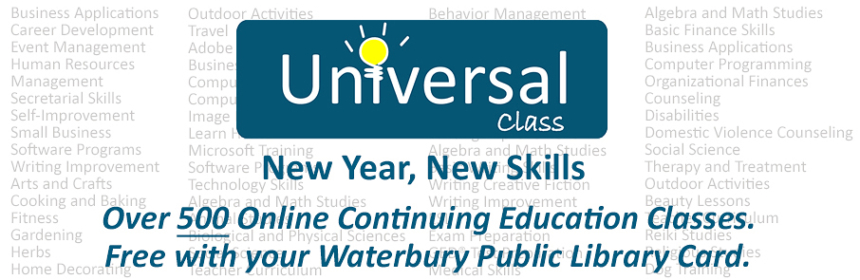
The Vermont Department of Libraries offers Universal Class at no cost to all Vermont Public Libraries. Waterbury Public Library patrons are eligible to use this online learning resource for free in the library or from remote sites.

What is Universal Class?

The Vermont Department of Libraries explains that, “Universal Class is an educational service providing high quality online courses for patrons (generally high-school age and older) interested in the lifelong pursuit of knowledge for either personal or professional reasons. Patrons register online, participate in the classes online at their own pace, correspond with instructors online and have up to six months to complete an individual class.

Universal Class supports lifelong learning and enhances not only social inclusion, active citizenship and personal development, but also employability. Class content covers a wide range – from hobbies (arts and crafts, dog training, photography) to job skills (writing improvement, medical billing, computer programming, domestic violence counseling) to education and test preparation (writing for children, general science, Algebra, Homeschooling Strategies) – and much more!”

  • Patrons are welcome to enroll in up to 5 courses.
  • Patrons have up to 6 months to finish each course.
  • Patrons can attend class and do assignments on their own schedule. Each   course has a real instructor who you may communicate with using email.
  • No pressure, stress-free learning at your own pace.

How much does it cost? 

Universal Class is free to any patron with an active account at the Waterbury Public Library.

How do I explore the courses and sign up?

Visit the Universal Class Website. You will need your library card number to login and create an account. Enjoy, and have fun learning!


Digital Library: Download e-Books, Audio Books & Magazines


Waterbury’s digital library includes e-Books, e-Audio books and digital Magazines. All can be accessed through your computer, tablet, or smartphone.

  • E-Books are available from the library’s OverDrive collection using the Libby app.
  • E-Audio books and E-Books are available through RBDigital.
  • Digital Magazines are offered through RBDigital.

Check below for basic directions on how to set up these services. Both services offer detailed help sections to get new users started, or you can also come into the library and we can help you out.

You can browse all collections from the Quick Links buttons on the right. You will need your library barcode and PIN (last 5 digits of your library card) to sign in and get started.


Digital Audio Books: RBdigital

The Waterbury Public Library offers a wide collection of audiobooks that are downloadable for free with your library card. We use the RBDigital platform for our audio books. RBdigital Audiobooks gives you access to a wide variety of audiobooks to stream or download.

What you need to get started:

Note: Only Non-protected audiobooks can be downloaded and transferred to portable listening devices.

Listening on Your Smartphone, Tablet or Computer:

Step 1

Register and get the app 

  1. You will need to register for an account before you can log into your app. You cannot register through the app – you need to register through the Waterbury Public Library website first.
  2. Go to RBdigital eBooks and Audio, select Register in the top right and complete the form. Use your Library Card #. Your PIN is the last five digits of your card #.

Note: If you used OneClickdigital in the past, you already have an RBdigital account. Use that account to sign into the app (Step 3 of this section).

  1. Go to your device’s app store and install the RBdigital app.
  2. Open it and select USA. Enter your RBdigital username. Tap Next.
  3. Enter your RBdigital password and tap Next. The app will connect to your account.
Step 2
Borrow and use titles
  1. Find and borrow items:
    • To browse all titles, tap  and tap Audiobooks, Magazines or Ebooks.
    • To search or browse by genre, audience and more, tap  and choose a format. Filter options will update according to your selection.
    • Tap a title of interest to learn more.
    • Tap Check Out to borrow it or Hold to place a hold.
  2. To open a borrowed title, tap  in the top left and tap Checked Out.
  3. Tap Play, Download or Read below a title’s cover, or tap the item’s cover and then tap Play or Read.

Tip: The first time you tap Play (for Audiobooks) or Read (for Magazines and eBooks), the title will automatically download. You can ensure that titles will download only on WiFi (as opposed to your data plan) by going to Menu > Settings > WiFi Only and selecting On.

Help


Transfer an Audio Book to Your iPod

Step 1

  • Install the Media Manager software: 
    1. Go to (https://waterburyvt.rbdigital.com/#/help/support) to download the appropriate Audio Desktop App – Media Manager for your computer system (Windows or Mac)
    2. When the software opens, fill out the login screen:
      • Country = USA
      • enter the username & password you created during registration.
      • Library = Waterbury Public Library
      • you may choose to have the software save your login information & auto-login for future use.

      Upon login, the software’s checked out books area will be blank unless you have already checked out a book.

Step 2 

  1. Find an Audio Book you’d like to listen to.
    • You can do this in the Media Manager itself by clicking on the “Browse For a Title Online” icon in the upper right hand of the Media Manager. You will be taken to the Waterbury Public Library RBdigital website where you can check out your books.
  2. After you have checked out your books (don’t download them from the website), return to the Media Manager.
  3. If you don’t see your titles in the Media Manager, click the “refresh” button, located near the top of the screen.


Step 3

  1. Connect your iPod to the computer, wait for your computer to recognize it (usually opens iTunes).
  2. Click the Download & Transfer button for the book. If you had already downloaded the book to the computer (by selecting Play earlier or allowing the software to auto-download new checkouts), the button will be “Transfer.”
  3. Select your iPod if prompted by a “device picker” box (some computers skip this).
  4. A progress bar comes up. If the book was not already downloaded it will download the parts of the book, then transfer to the device. Do not disconnect or cancel out of the box until it says “complete.”

Digital Magazines: RBdigital

Waterbury Public Library, through RBdigital, now offers full-color digital access to a variety of popular magazines. The magazines are accessible through your desktop, mobile device and apps. Our library’s collection of popular digital magazines includes both new and backlist titles with no holds, no checkout periods, and no limits.

RBdigital Digital Magazines offer:
  • Online reading: Instantly read all current and backlist magazines on desktop and mobile browsers.
  • Mobile apps: Download and read magazines on 95% of today’s mobile devices, including iOS (Apple®), Android™, and Kindle Fire™/HD/HDX.
  • Backlist: Grow your collection and build a digital backlist for anytime checkout and reading.
  • Easy browsing and checkout: Browse your library’s collection by newest issue, keyword search, genre and language to find your favorites and to discover new reading interests.
  • Two ways to read: Check out magazines and read them instantly on your desktop or mobile browser — or check out and download magazines through mobile apps.
  • Helpful notifications: Sign up for weekly email reminders about your favorite magazines.
  • No limit and permanent checkout: Check out as many issues as you want and keep them in your account as long as you wish.

How to View Digital Magazines

Important! First You Need To Register To View Digital Magazines

You will need to have an RB Digital account set up in order to view and check out the Digital Magazine. If you need to set up an account, please look under the Digital Audio books section for instructions on how to do this.

View Digital Magazines on your Desktop
View Digital Magazines on your Phone
  • Download the RBdigital app
  • Login
  • Click on the 3 horizontal lines in the top left hand corner (menu) and select Magazines
View Digital Magazines on your Tablet
  • Download the RBdigital app from either Google Play or the App Store on your iPad. (Note: if you already have the app, and it doesn’t seem to be working to see your Digital Magazine subscription, you may need to logout and login again.)
  • Login
  • Click on the menu (3 horizontal lines in the upper left hand corner) and choose magazines.


Digital E-Books: OverDrive / Libby

The Waterbury Public Library offers a wide collection of e-books that are downloadable for free with your library card. We use the OverDrive/Libby platform for our e-books. There is a 2 book at a time limit.

Getting started with the Libby app

The new Libby app is the easiest way to get started with digital e-books from our library. Libby is available for Android, iOS (iPhone/iPad/iPod touch), and Windows 10.

Step 1

Install the Libby app from your device’s app store.

Step 2

Open Libby and find the Waterbury Public Library. You can search by library name, city, or zip code.

Step 3

Browse our collection and borrow a title. When prompted, sign in with your library card. If you don’t know your number, give us a call at 244-7036. If you know your number but the number is not recognized, your card might be expired. Give us a call and we will verify your current information and renew your card for you.

Step 4

Borrowed titles appear on your Shelf and download to the app automatically when you’re connected to Wi-Fi, so you can read them when you’re offline.

From your Shelf, you can:

  • Tap Open book or Open audiobook to start reading or listening to a title.
  • Tap the cover image, then Send to Device to send a book to Kindle.


More help for the Libby App

If you need more help using the Libby App, please check out the Libby Help page.

Downloads for Kindle

You can send most borrowed books to Kindle (available in the U.S. only). To send a book to Kindle:

  1. Go to your Shelf.
  2. Tap Manage Loan, then Send to Device.
  3. Tap select your device, then Kindle.
  4. Tap Send to Kindle.
  5. You’ll be taken to Amazon’s website to finish getting the book.
    • If you’re signed into your Amazon account, verify the “Deliver to:” device and tap Get library book.
    • If you’re not signed into your Amazon account, tap Get library book, sign in, and choose a device to deliver the book to.
  6. Tap Close in the top-right corner to go back to the app.


**This app was previously called OneClick Digital. If you have the OneClick Digital app you should delete that app and install the new RBDigital app. 


Friends of the Waterbury Public Library/Volunteering

Friends of the Waterbury Public Library

The Friends of the Library usually meet on the first Monday of every month (usually) at 5:30 PM in the Library.

New members are always welcome and encouraged!

If you can’t make it to the meetings, you can easily become a”Friend” by helping out in many other ways. 

MISSION: The Friends advocate for the resources, materials, and volunteers needed to Friend Your Library Signmake our library a cornerstone of the Waterbury, VT community.

Questions? Want to participate/become a Board Member? Feel free to contact Linda Siegel, President: casidy5806@msn.com, or Elise at: programs@waterburypubliclibrary.com.

We want to hear from you!

Also, check out the Friends of the Waterbury Library Facebook page, and give them a “Like”.

Here is a good PSA by Paula Poundstone explaining what Friends are for: http://youtu.be/MYYrFSpbBbA

Volunteer Opportunities

Volunteers serve the library in many ways.  Some give time each week to shelve books and check out materials for borrowers, while other volunteers help with one-time efforts, such as working with the Friends of the Library on seasonal, outdoor clean-up activities.  Some library programs are conducted by volunteers who enjoy sharing a hobby or special skill with others by teaching a class or giving a talk.

Students can volunteer, too.  Middle school students often volunteer as part of their “Change the World” project.

Watch this space to learn about specific volunteer needs as they arise.  If you have a skill you would like to volunteer to share, send us an email through the Contact Us tab above, or stop in and talk to a librarian.  Thank you for thinking of the library.

Introducing Kanopy: Our New Video Streaming Service

Using your Waterbury Public Library card, you can access Kanopy. With an expertly curated collection of narrative and documentary films we think you’ll enjoy, we are pleased to be able to offer this streaming service to our community.

Go to kanopy.com to get started today!


What is Kanopy?

Kanopy is a video streaming service that provides instant access to thousands of critically acclaimed movies, documentaries and kids favorites. Kanopy partners with studios like A24, The Criterion Collection, PBS and more to bring access to thoughtful entertainment.


How can I watch Kanopy?

You can stream Kanopy on any of your favorite devices! Kanopy is accessible via mobile and tablet apps for iPhone and Android. You can also access Kanopy on your Desktop, and SmartTV apps like Roku, Apple TV, and Fire Stick.


How to create an account

  • To get started, visit kanopy.com and select the “Add Library Card” button on the lower left.
  • Enter your library card number and password ( password is last 5 digits of your library card number).
  • Create an account using your preferred email.
  • Begin streaming!
  •  We recommend signing up in a web browser, but you can also set up your account in the Kanopy app for iOS or Android.
1 2 3 4